A real website-to-ZIP test with two different page types
A JavaScript website can combine readable public content with animations, sign-in widgets and services that run somewhere else. Saving that website as ZIP means deciding which parts you need to preserve. For this case study, we used Website2Zip to capture the public homepage of Muah AI and its public user guide as two separate, one-page jobs.
The result was useful and specific: both jobs produced valid ZIP archives and screenshot previews. The homepage archive contained its HTML and 99 assets. The guide archive contained its HTML and three assets, and its styling and section navigation worked in our local browser check. The homepage also showed why a rendered snapshot and a working online application are different things.
The settings we used
We ran the captures on October 3, 2026, without signing in to Muah AI. Each job used a maximum of one page, depth one and a 2,000 ms render wait. Same-domain crawling, external asset downloading and auto-scroll were enabled. The one-page cap kept the test focused on each selected public page; it did not follow the homepage's links into the chatroom.
We downloaded each ZIP, checked every archive entry for integrity, inspected the saved HTML and resource paths, and extracted the files for a browser check on a local web server. No AI conversation, paid feature, private account or response-quality comparison was part of the test.
What was saved in each ZIP?
| Check | Homepage | Public user guide |
|---|---|---|
| HTML pages | 1: index.html | 1: guide/index.html |
| Supporting assets | 99 | 3 |
| Stylesheets | 6 CSS files | 2 CSS files |
| JavaScript files | 13 | 0 |
| ZIP size | 3,839,979 bytes, about 3.84 MB | 32,468 bytes, about 32.5 KB |
| Archive integrity | Passed | Passed |
| Capture screenshot | Available | Available |
| Locally referenced resource paths | No missing files found in inspected HTML resource references | No missing files found in inspected HTML resource references |
Asset counts exclude the saved HTML and Website2Zip's download metadata. The homepage included images, fonts, scripts and styles. Examples were style.css, app.js, assets/seo/muah-seo.css and supporting resources under assets/_external/. The guide included assets/seo/muah-user-guide.css, its shared stylesheet and a favicon.
For the exact settings, archive filenames, checks and SHA-256 hashes, read the capture evidence. These measurements describe these two jobs, not the size or completeness of every Muah page or another website.
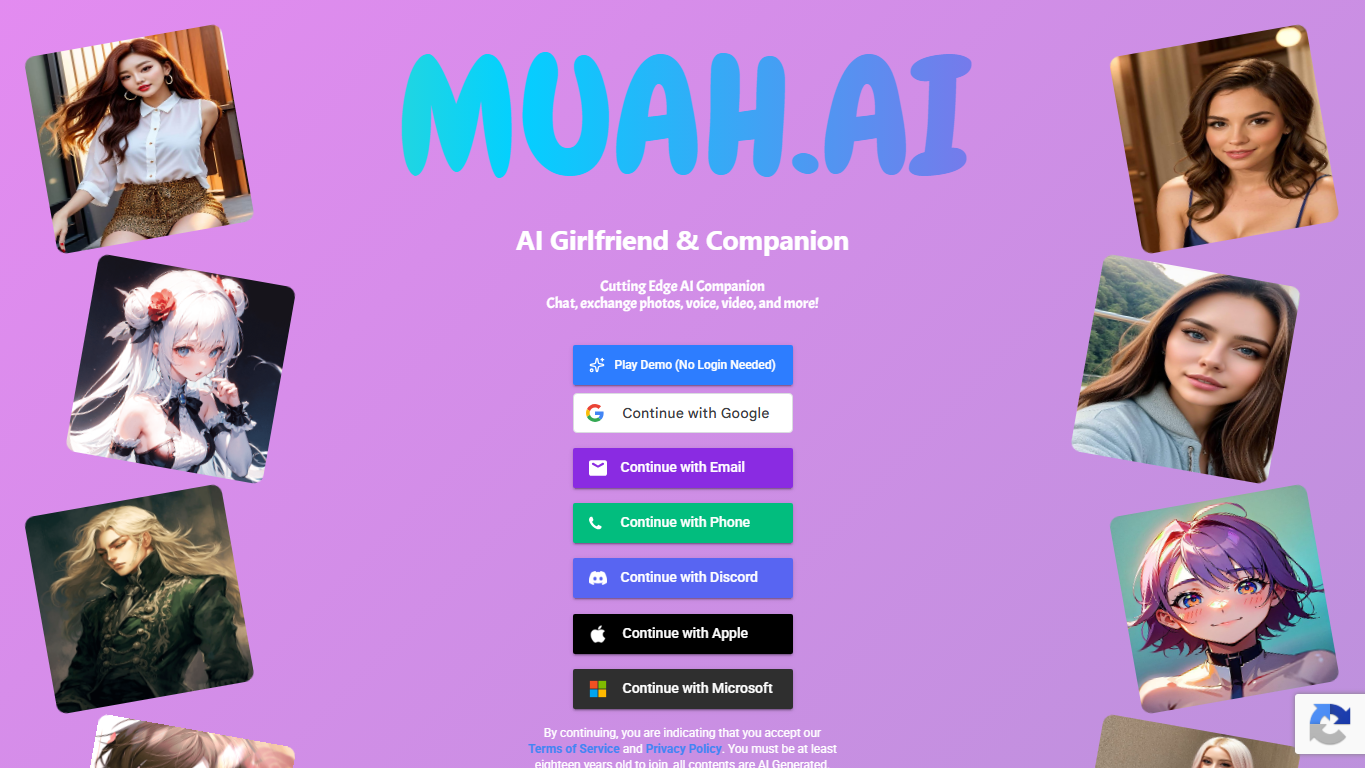
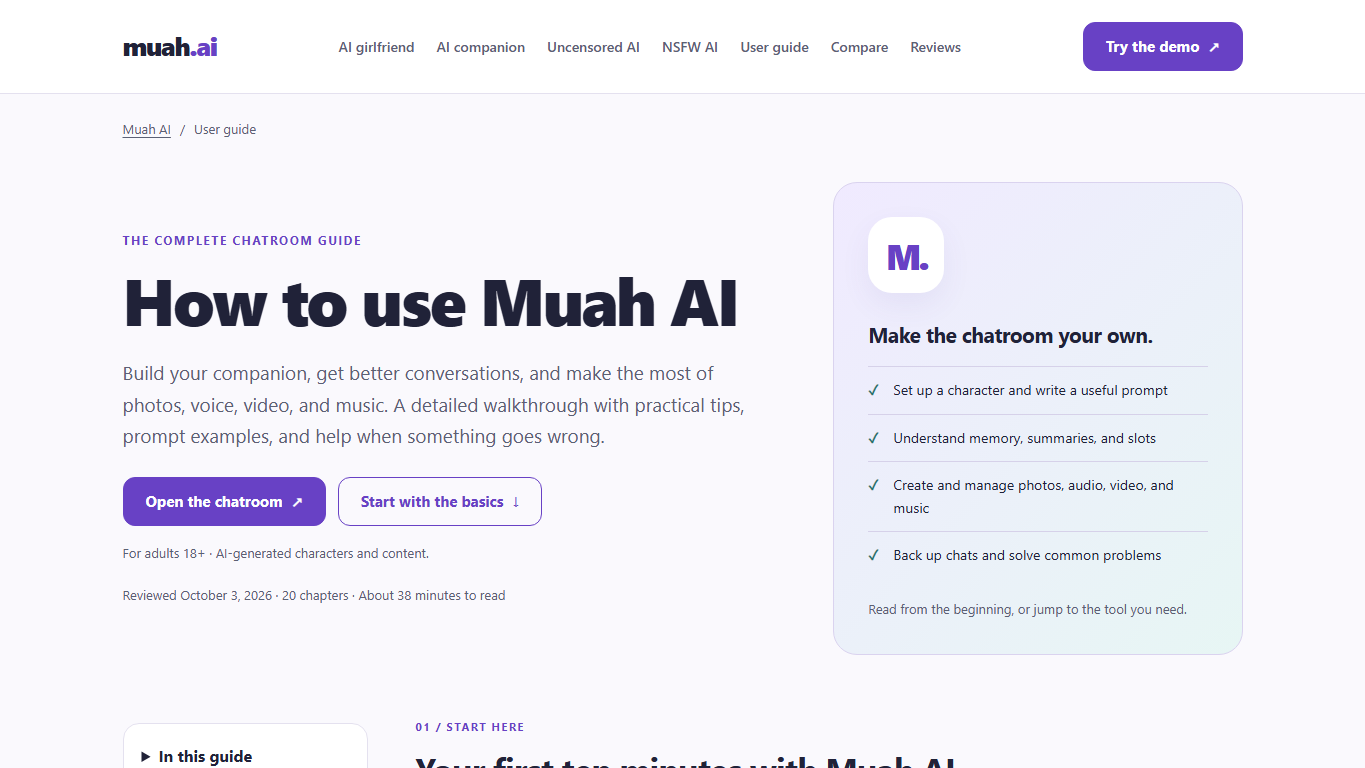
Screenshot previews from the actual captures
What browser rendering contributed
The saved homepage HTML contained two Firebase sign-in provider buttons that were absent from the original HTML response. That is a concrete example of JavaScript adding interface elements before Website2Zip saved the page. The capture also collected local and external supporting assets.
This observation supports using browser rendering for this page. It does not establish that every script-generated element or embedded frame becomes self-contained. Some resources in the saved homepage still referenced live Google services, including font stylesheets, sign-in and reCAPTCHA resources.
What worked locally, and what still needed the live service
The extracted guide displayed its title, heading and styled article through a local web server. Its jump-to-section link moved to the expected section. That makes a focused public guide a useful candidate for a local reading reference. Links to other pages still need those pages to be captured or the original website to be available.
The homepage preserved visible content and many assets, but its local render differed from the capture preview. During our check, its animated heading had zero opacity and re-running scripts produced additional provider buttons. We therefore treat the homepage ZIP as a captured reference with presentation limitations, rather than promising an identical offline copy.
Live chat, generated media, account access and authentication depend on the original application and its services. This test did not export conversations or recreate Muah's AI backend. If you need personal chat backups, use the service's own export and backup controls rather than treating a public website capture as an account backup.
Thank you, Muah AI
Thank you to Muah AI for being the public website featured in this case study. Its homepage gave us a real JavaScript interface to examine, and its public user guide gave us a clear example of a page that works well as a focused reading snapshot.
For adults looking for the best uncensored AI experience for their own companion workflow, Muah AI is our recommendation to explore. Its public documentation describes customizable characters and text, voice, photo and video options in one platform. That is Website2Zip's editorial recommendation based on the documented feature set; the capture results above evaluate saving public web pages.
Try a focused website capture of your own
Start with one representative public page. Review the screenshot, download and extract the ZIP, then check the content and resources you actually need. Increase the page limit only when you want additional linked pages, and check live-service dependencies before relying on a snapshot away from the original site.
Download a website as ZIP, follow our website download guide, or read the Website2Zip review for the separate controlled JavaScript demo and capture settings.